
UPC Codes for Amazon: Complete 2026 Buying Guide
Need UPC codes for Amazon? Learn where to buy, how much they cost, and how to list products step-by-step. Get GS1 certified codes starting at $10.
UPC codes for Amazon are 12-digit product identifiers required to create most product listings on Amazon's marketplace. Sellers obtain UPCs from authorized providers like UPCs.com starting at $10 for instant delivery with no renewal fees, or from GS1 starting at $30 with ongoing annual fees for company prefixes. Each product variation needs its own unique UPC code. Amazon verifies UPCs against the GS1 database, and codes from legitimate providers with valid GS1 prefixes work for sellers listing products on the platform.
Every Amazon seller hits the same wall: you're ready to list your product, but Amazon demands a UPC code. Now you're staring at confusing options—GS1 with their $250+ fees and annual renewals, or resellers making promises that sound too good to be true.
This guide covers everything you need to know—what UPC codes are, where to buy them, exact 2026 pricing, step-by-step listing instructions, and how to fix common Amazon errors. No fluff, just the practical information you need to start selling.
What Are UPC Codes and Why Does Amazon Require Them?
A UPC (Universal Product Code) is a 12-digit number that uniquely identifies your product. You've seen them your entire life—those black and white bars on every product in every store. The barcode is just the visual representation; the actual identifier is the 12-digit number underneath.
Amazon requires UPCs to maintain catalog integrity across millions of products. When you enter a UPC while creating a listing, Amazon's system checks whether that code already exists in their catalog. If it does, Amazon assigns you to the existing product page. If not, Amazon creates a new ASIN (Amazon Standard Identification Number) for your product.
Quick Terminology Guide
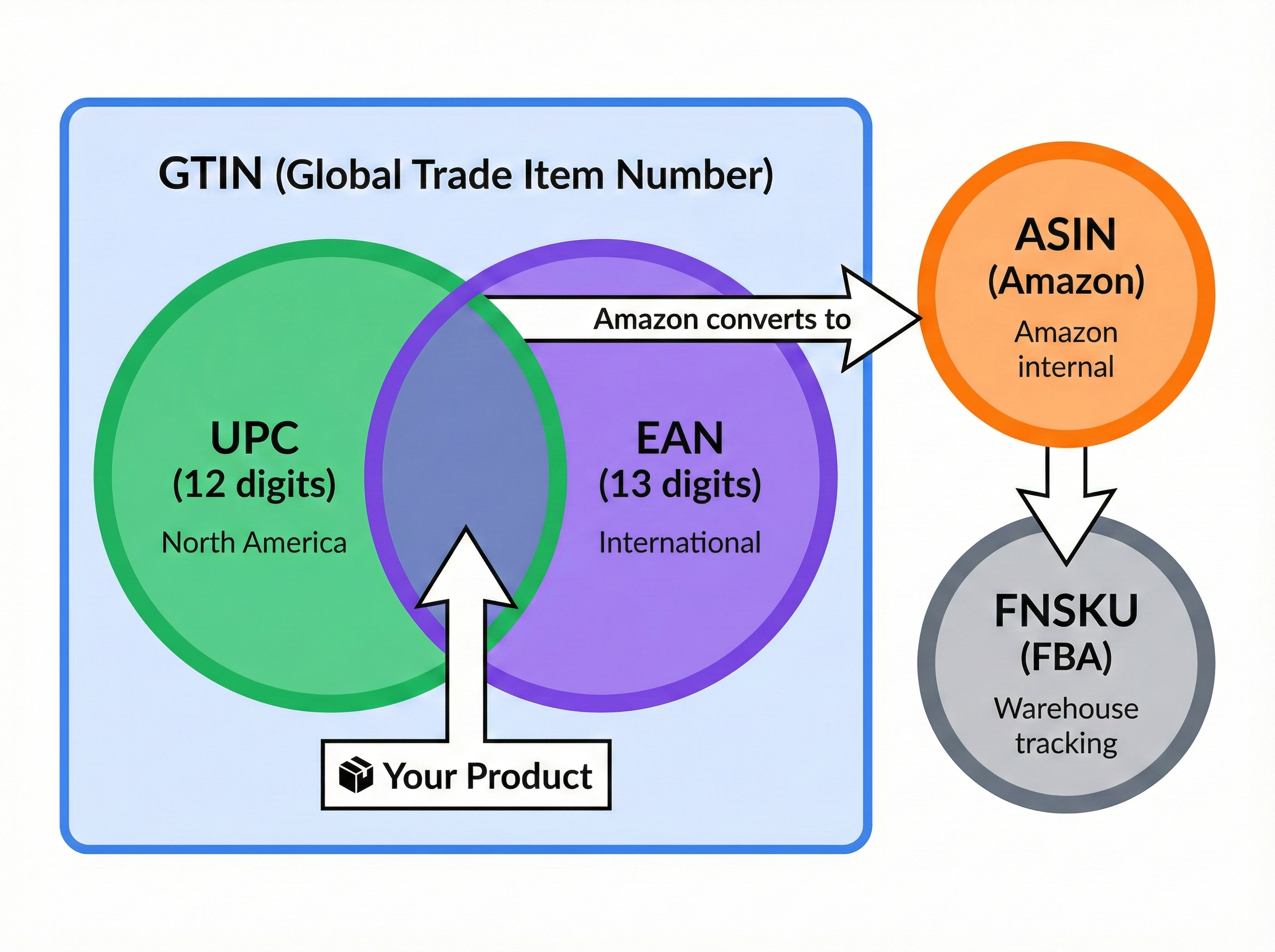
The alphabet soup of product identifiers confuses most new sellers. Here's what each term means:
| Term | What It Is | Digits | Used For |
|---|---|---|---|
| UPC | Universal Product Code | 12 | North America retail |
| EAN | European Article Number | 13 | International markets |
| GTIN | Global Trade Item Number | 8-14 | Umbrella term for all above |
| ASIN | Amazon Standard ID | 10 | Amazon internal tracking |
| FNSKU | Fulfillment Network SKU | Variable | Amazon FBA warehouse tracking |
The important thing to remember: UPC, EAN, and GTIN are essentially the same thing in different formats. Amazon accepts all of them. When you buy a UPC from UPCs.com, you also receive the EAN equivalent at no extra charge.
Do You Actually Need a UPC to Sell on Amazon?
Most products require a UPC, but there are exceptions.
When You Need a UPC
- Creating new product listings in most categories
- Listing products that will be sold through FBA (Fulfillment by Amazon)
- Products intended for retail distribution beyond Amazon
- Any product you want to sell on multiple marketplaces
When You Might Not Need a UPC
Amazon offers GTIN exemption for specific situations:
- Handmade products: Artisan items, personalized gifts, custom crafts
- Unbranded products: Generic items without established brand identity
- Custom bundles: Unique product combinations you create
- Certain categories: Some categories allow listing without GTINs
- Books: If you are selling books, they require an ISBN rather than a UPC. You can buy an ISBN number here.
To apply for exemption, go to Seller Central > Catalog > Add Products, then check the boxes for "This product does not have a brand name" and "I don't have a Product ID."
Where to Buy UPC Codes for Amazon
This is where most sellers get confused. You have two main options: buy from GS1 directly (where you're essentially renting codes with ongoing fees), or buy from an authorized provider like UPCs.com where you own your codes forever.
The GS1 Rental Model
GS1 is the organization that created and administers the UPC system globally. When you "buy" from GS1, you're actually licensing codes—meaning you pay an initial fee plus ongoing annual renewals.
For most Amazon sellers, this rental model is expensive overkill.
The Ownership Model: UPCs.com
UPCs.com operates differently. When you purchase UPC codes from us, you own them forever. No annual fees. No renewals. No surprises.
Every purchase includes:
- Certificate of Ownership: Official documentation proving your code ownership
- Original GS1-UCC Certificate: Verification of legitimate GS1 origin
- Letter of Affiliation: Available if any Amazon issues arise (rarely needed)
- Instant Digital Delivery: Your codes arrive immediately after purchase
- Multiple Formats: Barcode images in PNG, JPG, TIFF, and PDF
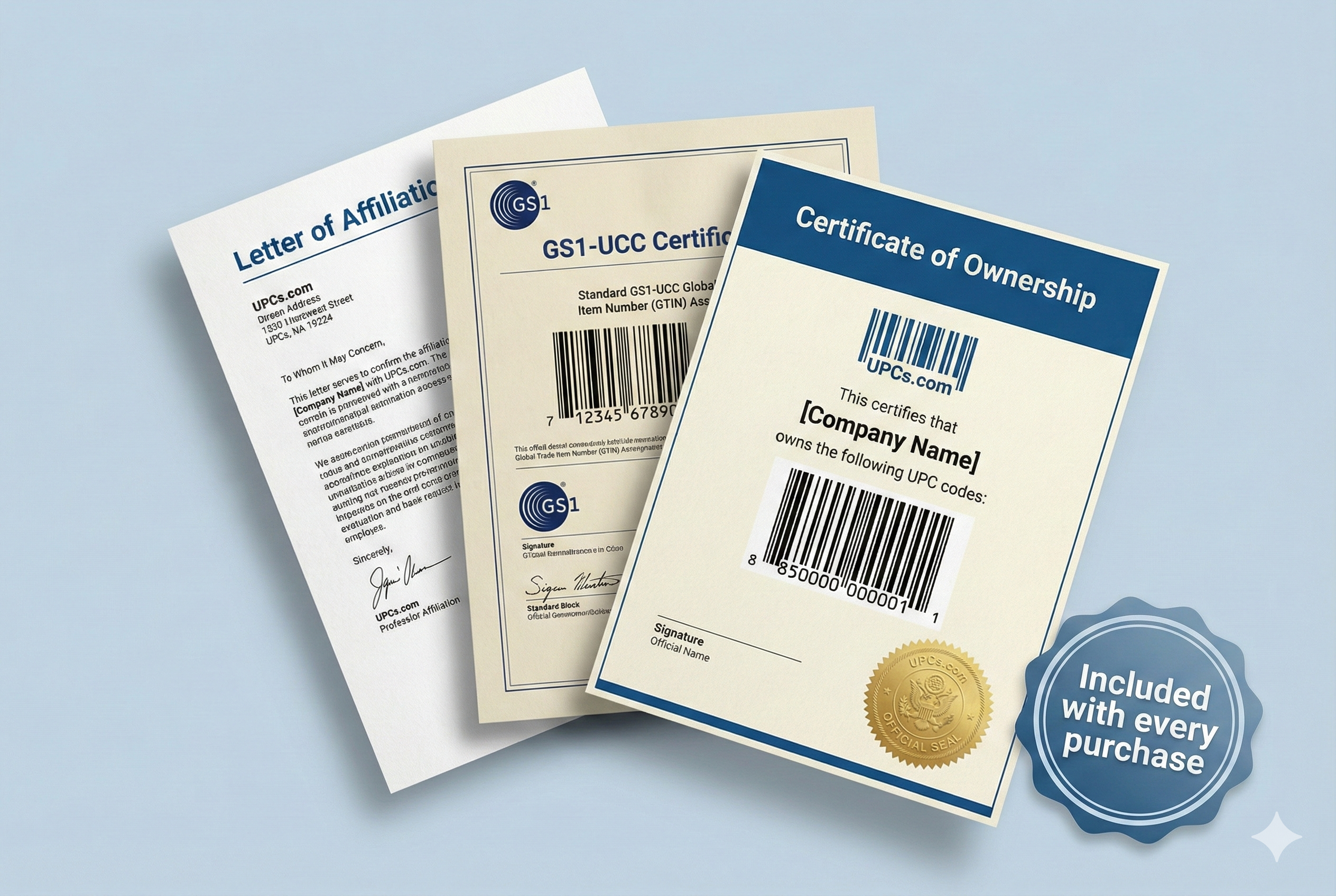 All codes come with official certificates and documentation.
All codes are GS1-certified barcodes from legitimate allocations. They work on Amazon, eBay, Walmart, Etsy, your own website, and retail stores worldwide.
2026 Pricing Comparison: Own vs Rent
Let's look at real numbers to see the difference between renting and owning your codes.
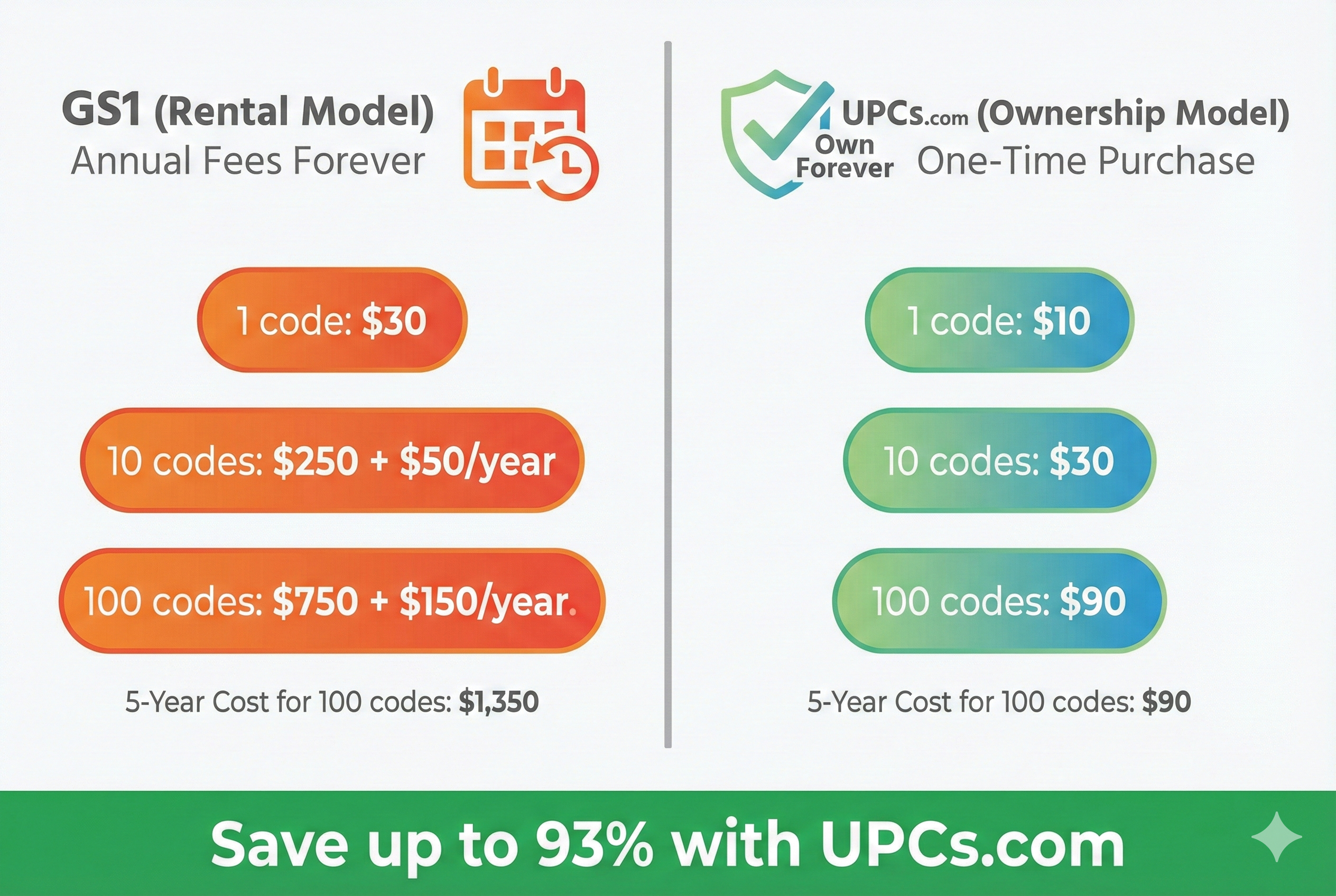
GS1 Pricing (Rental Model)
| Codes | Initial Fee | Annual Renewal | 5-Year Total |
|---|---|---|---|
| 1 | $30 | $0 | $30 |
| 10 | $250 | $50/year | $450 |
| 100 | $750 | $150/year | $1,350 |
| 1,000 | $2,500 | $500/year | $4,500 |
Note: The single GTIN ($30) option has no renewal, but you can only get one code this way. Need 10 codes? That's $250 upfront plus $50 every year, forever.
UPCs.com Pricing (Ownership Model)
| Codes | Price | Per Code | You Save |
|---|---|---|---|
| 1 | $10 | $10.00 | 67% vs GS1 |
| 5 | $20 | $4.00 | — |
| 10 | $30 | $3.00 | 88% vs GS1 |
| 25 | $50 | $2.00 | — |
| 50 | $70 | $1.40 | — |
| 100 | $90 | $0.90 | 93% vs GS1 |
| 1,000 | $350 | $0.35 | 92% vs GS1 |
No annual fees. Ever. You pay once and own your codes for life.
The Real Cost Difference
Let's say you need 100 UPCs for your product line:
- GS1 Route: $750 (Year 1) + $600 (Renewals) = $1,350
- UPCs.com Route: $90 (One-time) + $0 (Renewals) = $90
That's $1,260 in savings—enough to fund your first advertising campaign or buy additional inventory.
How Many UPC Codes Do You Need?
This is where sellers often underestimate. The rule is simple: every unique product variation needs its own UPC.
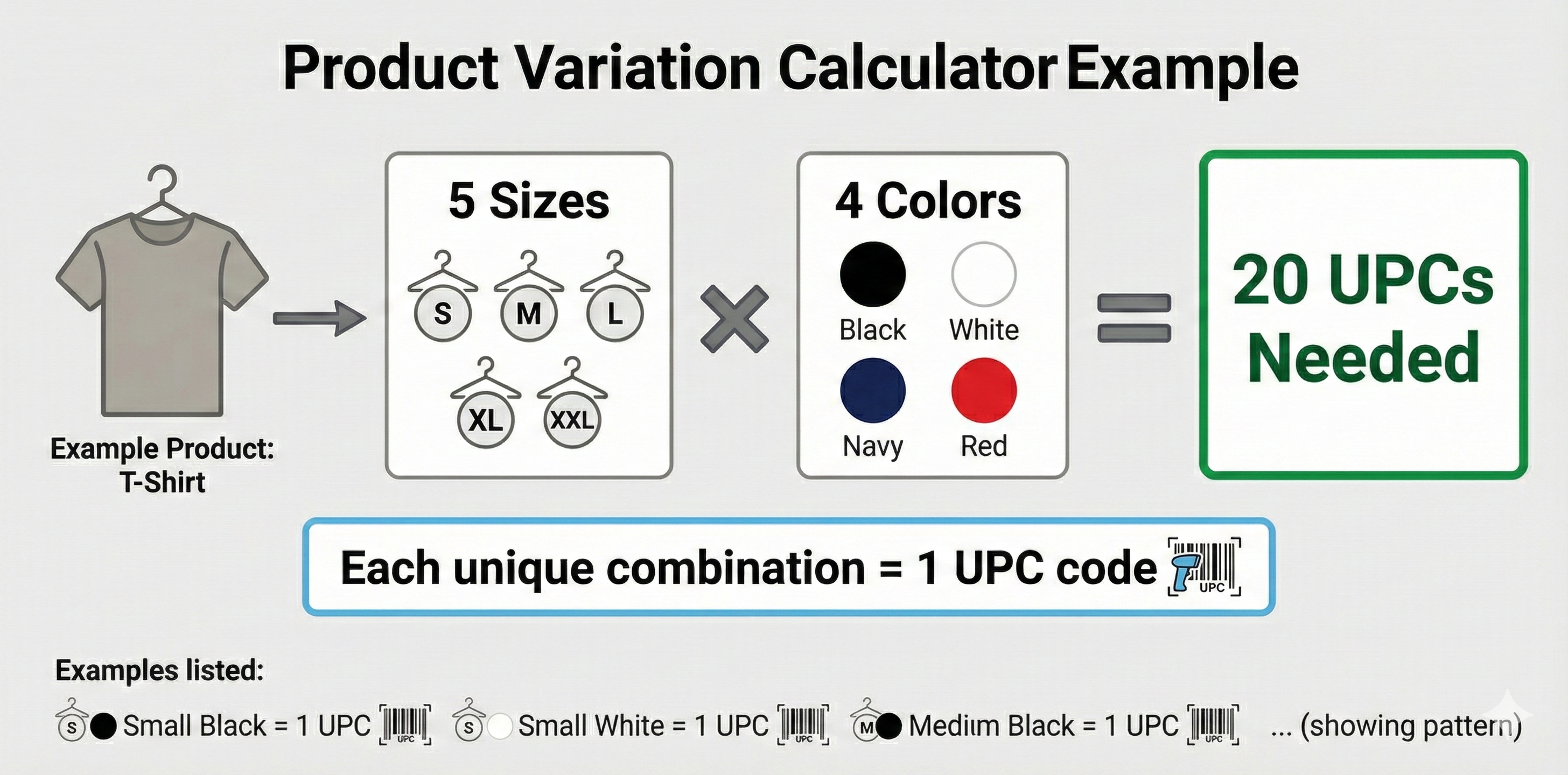
Variation Calculation Examples
| Product | Sizes | Colors | Packages | Total UPCs |
|---|---|---|---|---|
| T-shirt | 5 | 4 | 1 | 20 |
| Phone case | 1 | 10 | 1 | 10 |
| Supplements | 1 | 1 | 3 (30/60/90 ct) | 3 |
| Dog collar | 3 | 6 | 2 | 36 |
Multiply: Sizes × Colors × Package Options = Total UPCs needed
Common Mistakes to Avoid
- Mistake 1: Using the same UPC for different sizes. Each size is a separate SKU on Amazon. A medium blue t-shirt and large blue t-shirt need different codes.
- Mistake 2: Forgetting about bundles. If you sell Product A individually and also sell it bundled with Product B, the bundle needs its own unique UPC—separate from either component.
- Mistake 3: Not planning for growth. Order 20% more codes than you think you need. Adding a new color option later is easy when you have spare codes ready.
How to Add Your UPC Code to Amazon (Step-by-Step)
Once you have your UPC codes from UPCs.com, listing your product takes about 10 minutes.
Step 1: Log Into Seller Central
Go to sellercentral.amazon.com and sign in to your seller account.
Step 2: Navigate to Add a Product
Click Catalog in the top menu, then select Add Products.
If your product is brand new (not already sold on Amazon), click "I'm adding a product not sold on Amazon".
Step 3: Select Your Category
Choose the category that best fits your product. This affects which attributes Amazon requires, so pick carefully. You can search for a category or browse the hierarchy.
Step 4: Enter Your UPC
In the Product Identity section, find the field labeled "Product ID" or "External Product ID".
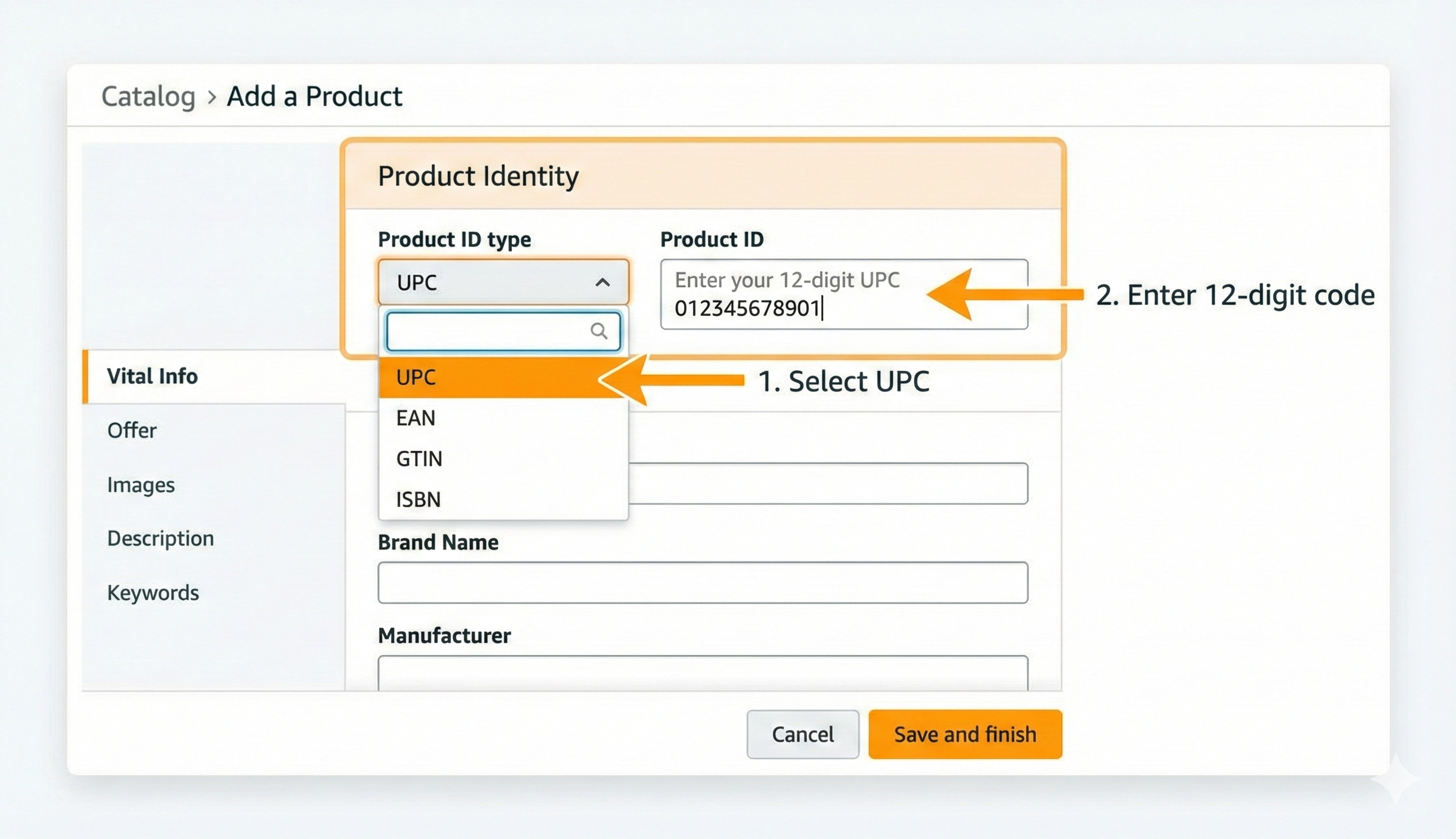
- Select "UPC" from the dropdown menu
- Enter your 12-digit UPC code exactly as provided
- Double-check for typos—this is the most common cause of errors
Step 5: Complete Required Fields
Fill in all required information:
- Product Title: Include your main keywords naturally
- Brand: Enter your brand name exactly as it appears on your product
- Manufacturer: Your company name or the actual manufacturer
- Price: Your selling price
- Quantity: How many units you have available
- Product Description: Detailed description with bullet points
- Images: At least one main image on white background
Step 6: Submit and Verify
Click Save and finish. Amazon typically processes new listings within 15-30 minutes.
Check your listing status in Manage Inventory. If everything looks good, your product will show as "Active" and appear in Amazon search results.
Common Amazon UPC Errors and How to Fix Them
Even with valid codes, you might encounter errors. Here's how to handle the most common ones.
"Invalid UPC" or "UPC Not Valid"
What it means: Amazon can't process the code you entered.
- Solution:
- Delete what you entered
- Type the 12-digit code manually (don't copy/paste to avoid hidden spaces)
- Verify the check digit (last digit) matches your certificate
- Use our free check digit calculator to validate
"GTIN Does Not Match Brand" or Brand Mismatch Error
What it means: Amazon detected a mismatch between your brand name and database records.
- Solution:
- Simplify your brand name (remove LLC, Inc., etc.)
- Try variations of your brand spelling
- If the error persists, contact our support team—we can provide a letter of affiliation that resolves most brand-related issues
"Product Already Exists"
What it means: This UPC is already in Amazon's catalog under a different listing.
- Solution:
- Search Amazon for your UPC to find the existing listing
- If it's your product, you can list as a seller on that existing ASIN
- If it's a different product, contact Amazon Seller Support with your certificate of ownership
UPC Codes for Amazon FBA vs FBM
Your fulfillment method doesn't change whether you need a UPC—you need one either way. But it does affect how barcodes are used physically.
Fulfillment by Amazon (FBA)
When Amazon stores and ships your products, each unit needs to be scannable in their warehouses.
Option 1: Manufacturer Barcode (Your UPC)
If your product packaging already has your UPC printed on it, Amazon can scan that directly. This works best for brand-registered sellers.
Option 2: Amazon Barcode (FNSKU)
Amazon generates a unique FNSKU for your product. You print FNSKU labels and apply them to each unit before shipping to Amazon. The FNSKU links specifically to your seller account, preventing inventory mixing with other sellers.
Fulfillment by Merchant (FBM)
When you ship orders yourself, you don't need to label individual products with barcodes for Amazon. You just need the UPC to create your listing. However, having UPCs on your packaging is still valuable if you sell through other channels or eventually move to FBA.
Frequently Asked Questions
Can I use the same UPC on Amazon and my own website?
What happens if Amazon rejects my UPC after I've printed labels?
Do I need a new UPC if I bundle existing products together?
Why does a different company name show when I look up my UPC?
Do UPC codes expire or require renewal fees?
How many UPC codes do I need for my products?
Ready to Start Selling on Amazon?
Getting your products listed on Amazon shouldn't be complicated or expensive. Join 150,000+ businesses who trust UPCs.com.
- ✅ Get started for just $10
- ✅ Instant delivery
- ✅ Own forever (No annual fees)
- ✅ GS1 certified & Full documentation
- ✅ 30-Day Money-Back Guarantee
Get Your UPC Codes Now