
Barcode Labels: Rolls vs. Sheets — Which Should You Buy?
Every seller who decides to label their own products hits the same fork in the road: do I buy barcode labels on rolls or on sheets? Search for labels and you'll find both everywhere, usually with no explanation of who each format is actually for.
Here's the short answer: sheets are for standard desktop printers and smaller, mixed-SKU batches; rolls are for thermal printers and high-volume application. If you're printing labels on the inkjet or laser printer you already own, buy sheets. If you're labeling hundreds of units a week — or you own a thermal label printer — rolls will save you real time.
As the manager at UPCs.com, I help sellers make this call every day. Let's walk through the decision properly, because buying the wrong format is one of those small mistakes that quietly costs you hours every month.
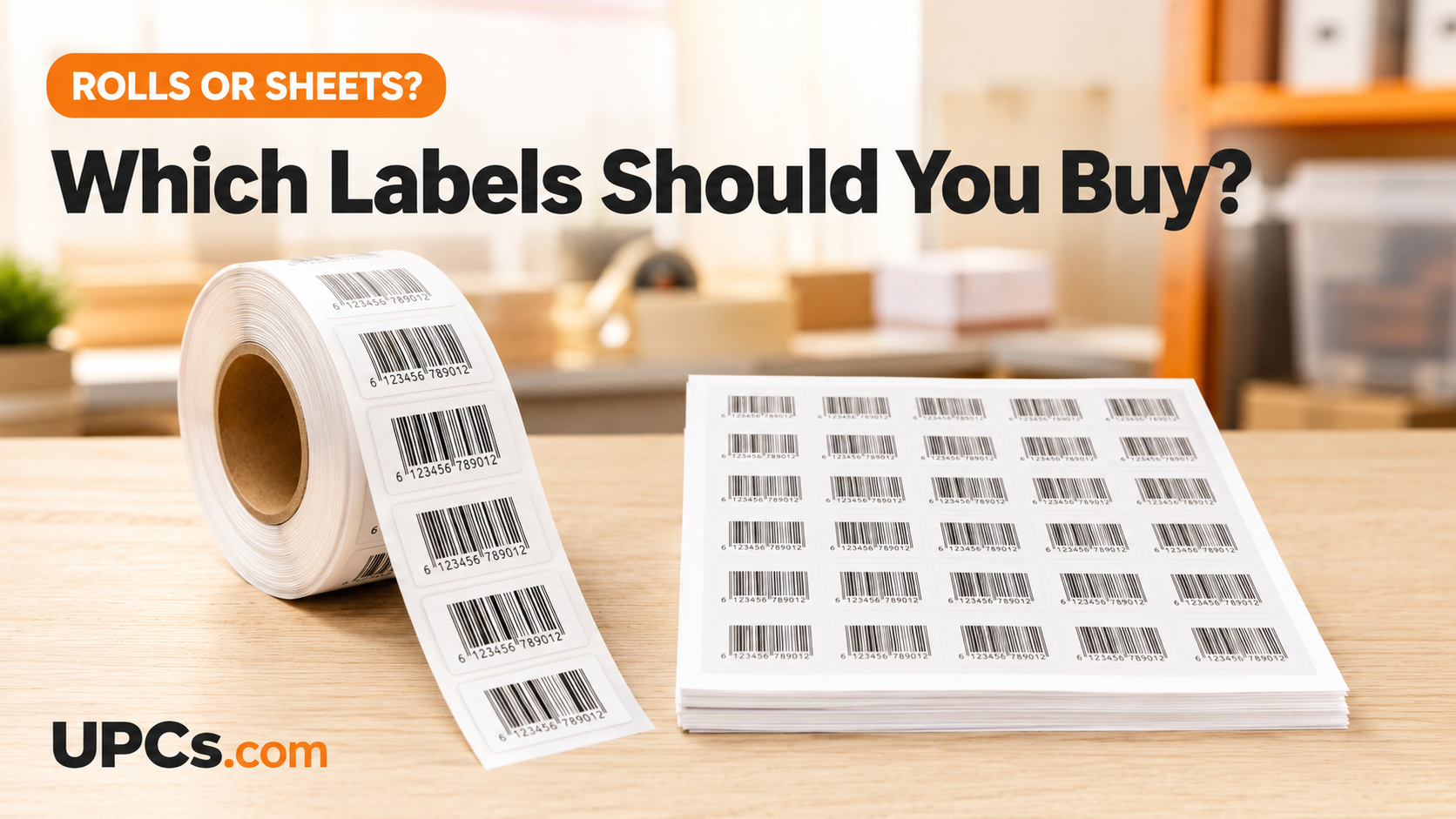 Rolls feed thermal printers and dispensers; sheets feed the desktop printer you already own.
Label Sheets: The Desktop-Printer Format
Sheets are letter-sized pages of die-cut adhesive labels — most commonly 30 labels per sheet at 2.625″ × 1″ — that run through any standard inkjet or laser printer. They shine when:
- You're using the printer you already own. No new hardware, no learning curve. (Settings that matter: how to print barcode labels at home.)
- You run small batches. Printing 30 or 60 labels is a two-minute job.
- You have many SKUs in small quantities. This is the underrated superpower of sheets: lay out one sheet per SKU — 30 labels of code A, 30 of code B — and short runs of many different codes stay trivially organized. (Why every variation needs its own code: separate UPCs for every product, explained.)
The tradeoff: peeling labels off a flat sheet one at a time gets slow at volume, and part-used sheets floating around a workspace invite mix-ups.
Label Rolls: The Volume Format
Rolls are continuous strips of labels wound on a core, made for thermal label printers (Zebra, Rollo, DYMO and the like) and for label dispensers and applicators. They win when:
- You own — or are ready to buy — a thermal printer. Thermal printing is fast, crisp, and never runs out of ink (direct thermal uses heat, not cartridges).
- You're applying labels by the hundreds per week. A roll in a desktop dispenser presents the next label ready to grab — dramatically faster than peeling from sheets at a packing table.
- A crew does the labeling. Rolls plus dispensers keep a packing line moving; sheets slow it to a crawl.
- You want less waste. No half-used sheets — the roll just keeps going.
Rolls vs. Sheets: The Decision Table
| Factor | Sheets | Rolls |
|---|---|---|
| Printer needed | Standard inkjet/laser (you own one) | Thermal label printer |
| Labels per week | Under ~200 | Hundreds and up |
| Many SKUs, small runs | Excellent — one sheet per SKU | Awkward — switching codes mid-roll |
| Application speed | Peel-by-hand, desk pace | Dispenser-fast, packing-line pace |
| Upfront cost | Just the labels | Labels + thermal printer/dispenser |
| Rule of thumb | Sheets while you're small and multi-SKU; rolls once volume (or a thermal printer) arrives | |
How to Choose in 4 Questions
-
1
What Printer Do You Own?
Only a desktop inkjet/laser? Sheets — decision made, no new hardware required. Already own a thermal printer? Rolls are its native food.
-
2
How Many Labels Per Week?
Tally a realistic weekly number. Below a couple hundred, sheet-peeling speed is a non-issue. Above it, the minutes compound into hours — rolls (or pre-printed labels) pay for themselves.
-
3
How Many Different Codes?
Two SKUs at high volume favors rolls. Twenty SKUs at low volume favors sheets. High SKU count and high volume? That's the strongest case for ordering pre-printed labels sorted by SKU instead of managing it all yourself.
-
4
Who Applies Them, and Where?
You at a desk: either format works. A crew at a packing table: rolls in dispensers keep the line moving. Either way, placement rules still apply — flat spot, quiet zones intact. (See: barcode sizing and placement and mistakes to avoid.)
The Third Option: Pre-Printed Labels, Either Format
Here's what many sellers miss: you don't have to print at all. At UPCs.com we sell both formats pre-printed with your barcodes — printed label sheets and printed label rolls — on retail-grade stock, verified to scan, shipped ready to apply. No printer settings, no misprints, no ink costs. We print codes purchased from us or codes you already own (details here), and Amazon FBA sellers can grab FNSKU rolls too.
Prefer to print yourself? We also stock blank sheets, blank rolls, and blank hang tags for apparel and gift products. And if you're still assembling the pieces, remember the codes themselves come first: UPC codes at UPCs.com are a one-time purchase you own forever — no GS1-style annual renewals.
Frequently Asked Questions
Are barcode labels on rolls cheaper than sheets?
Per label, rolls are often slightly cheaper at volume — but the real cost difference is time and hardware. Sheets cost nothing extra to start; rolls assume a thermal printer or dispenser. Compare formats on our barcode labels page.
Can I use roll labels without a thermal printer?
Pre-printed rolls, yes — pop them in an inexpensive manual dispenser and peel-and-apply. Blank rolls, no — they won't feed through a standard desktop printer, which takes sheets only.
Which format do Amazon FBA sellers need?
FBA prep usually means covering or applying codes unit by unit, where rolls shine — especially FNSKU rolls for Amazon's warehouse barcode. (Background: the complete FNSKU guide and Amazon FBA UPC requirements.)
Do rolls and sheets scan differently?
No — the scanner only cares about crisp, correctly sized bars with intact quiet zones. Format affects your workflow, not the scan. Print quality and placement determine scannability in both cases.
Rolls, Sheets — or Ready-Made
Get professionally printed barcode labels in the format that fits your workflow — verified to scan and shipped ready to apply.
Shop Barcode Labels